
Start new private accounts with auto withdrawal turned on
Turn on auto withdrawal in an account template so new private accounts are paid out to their bank account without the driver setting it up.
Updated 2 November 2026
This article is for operators who reimburse home charging and want drivers paid out automatically. You will set an account template so that every new private account starts with auto withdrawal turned on.
Without this setting, only the driver can turn on auto withdrawal, in the Monta app. Many drivers never do, so their wallet balance is never paid out.
Before you start
- You need permission to view and edit account templates in Hub.
- The template must be a private or default private template. The setting is hidden for other template types.
- Allow withdraw must be on in the template.
- The template's billing method must not be invoicing.
Turn on auto withdrawal for new accounts
-
In Hub, open Admin, then Operator, then Account settings.
-
Open the Templates tab.
-
Open the private or default private template you want to change.
-
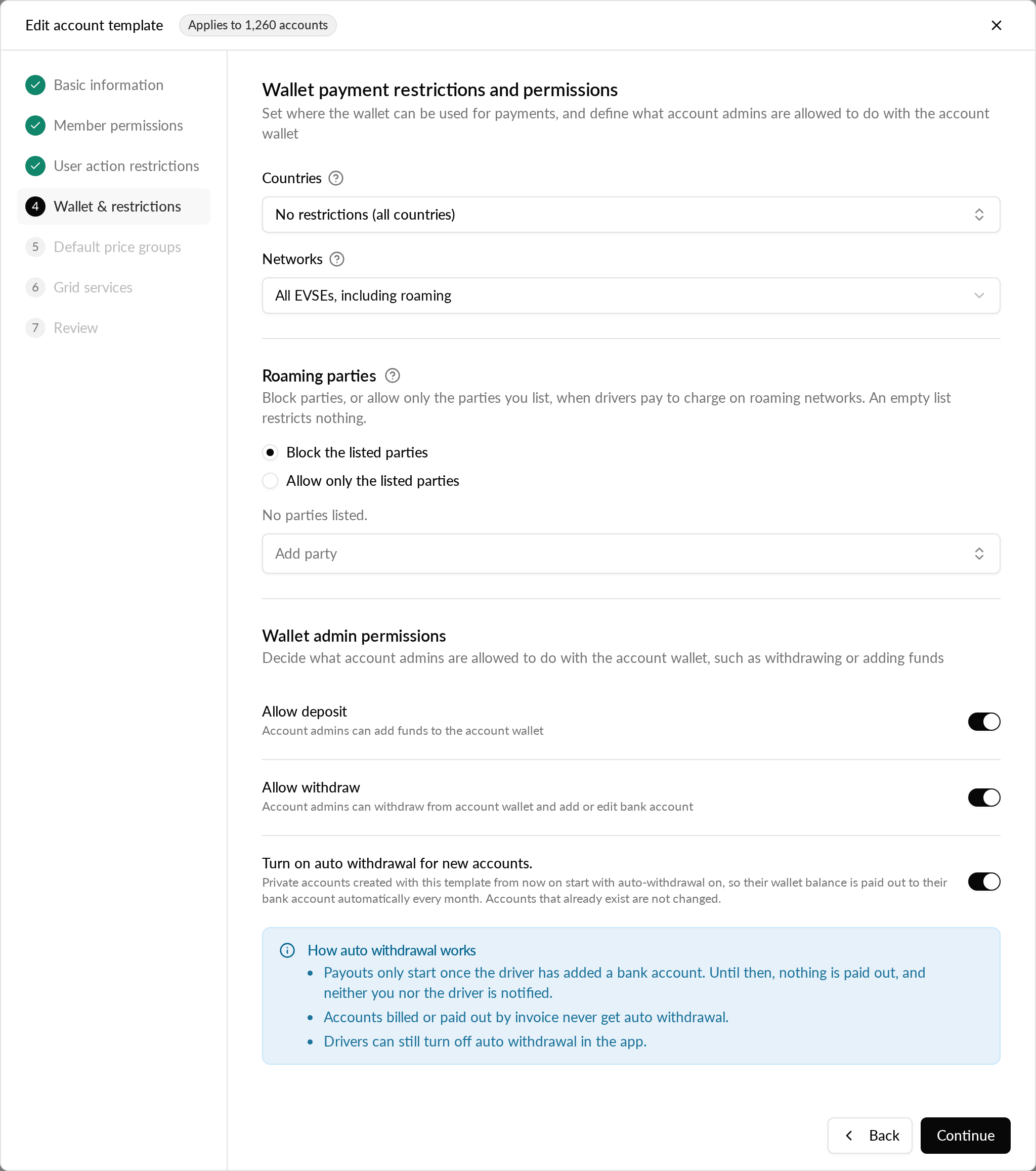
Go to the Wallet & restrictions step.
-
Make sure Allow withdraw is on.
-
Turn on Turn on auto withdrawal for new accounts.
-
Continue to the Review step and save the template.
When it worked, the switch stays on after you save and reopen the template. A new template starts with the switch off.
What happens to new accounts
Every private account created with the template from then on starts with auto withdrawal on. The wallet balance is paid out to the driver's bank account. A payout is attempted daily from the day the account is created. The first one happens once the balance reaches the minimum payout amount for the country, and the driver has added a bank account. Where an identity check applies, it must be verified too. After a payout, the next one is due on the same day of the month the account was created.
What does not change
- Existing accounts. Turning the setting on or off does not change accounts that already exist. You can turn auto withdrawal on or off for an existing account from its payment settings.
- Drivers can opt out. A driver can still turn off auto withdrawal in the Monta app.
- Invoices. An account that is billed by invoice, or paid out by invoice, never starts with auto withdrawal.
- Other account types. Professional and personal accounts are not affected.
Why is the switch greyed out?
Why is the switch greyed out?
Hub shows the reason under the switch:
- If Allow withdraw is off, turn it on first.
- If the billing method is invoicing, auto withdrawal is not available. Choose another billing method.
While the switch is greyed out, saving the template stores the setting as off.
I don't see the setting at all
Check that the template is a private or default private template. The setting is not shown for other template types.