
Track AFIREV quality KPIs on the Charge verification dashboard
See your session success, start-failure and abnormal interruption rates per period and per EVSE, and learn how each one is calculated.
Updated 2 November 2026
This article is for operators who report on charging quality, for example in French tenders. You will open the AFIREV quality KPIs in Monta Hub, read each rate, and export the per-EVSE table as a CSV file. AFIREV is the Association Française pour l'Itinérance de la Recharge Électrique Automobile.
What you need
- Access to the Charge verification dashboard. It needs the permission to view charges, which account owners and admins have.
- Charge verification turned on for your account.
If you don't see Charge verification in the dashboard list, ask an account owner or admin to check your permissions.
The KPIs count only sessions on EVSEs (electric vehicle supply equipment) that your account owns. Sessions you only paid for on other operators' EVSEs are left out, because AFIREV reporting is the charge point operator's task. You don't need to switch on any verification rule.
Open the KPIs
-
In Monta Hub, go to Analytics > Dashboards.
-
Open Charge verification.
-
Select the period you want to look at.
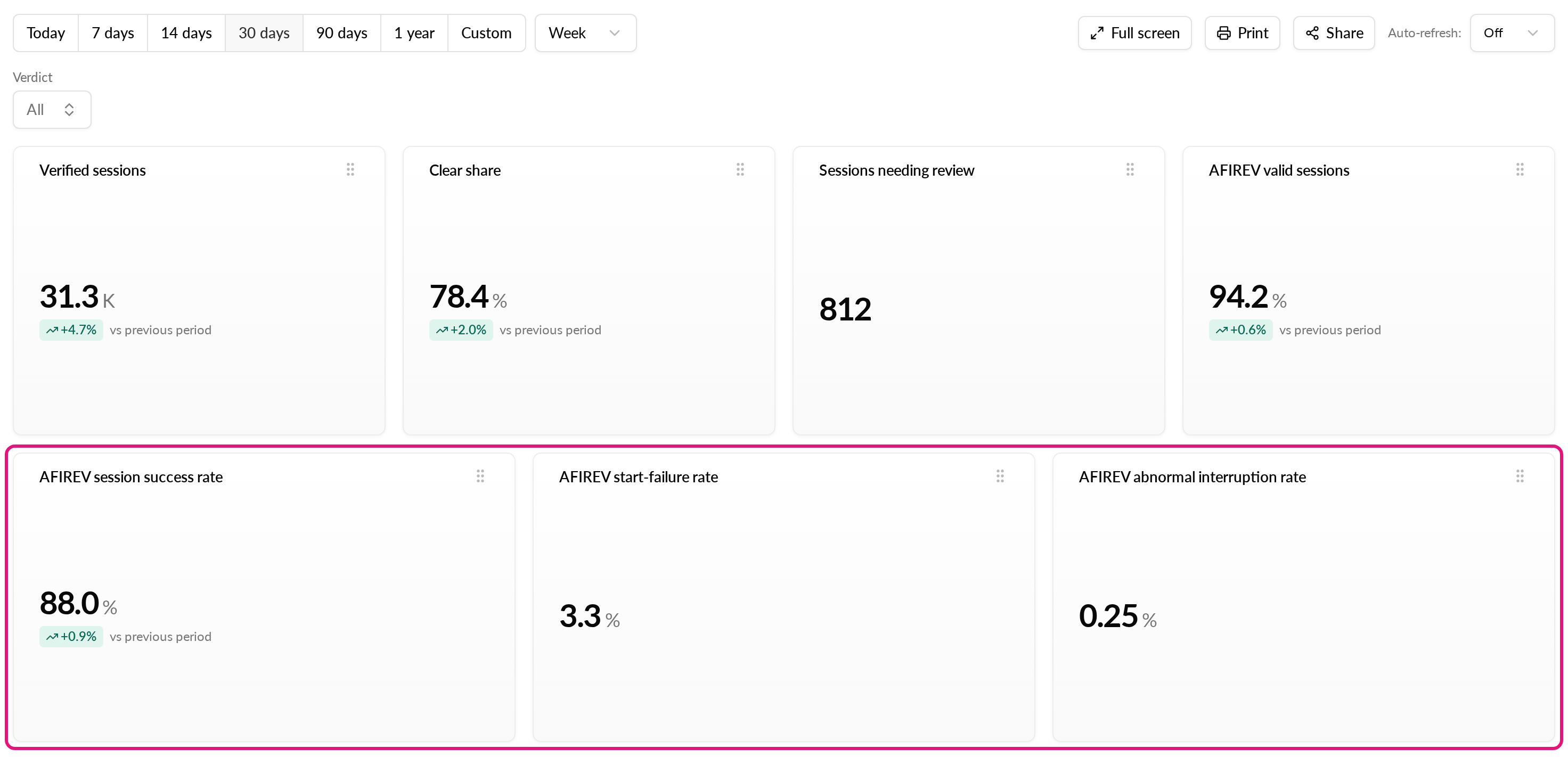
The three KPI tiles show your AFIREV session success rate, AFIREV start-failure rate and AFIREV abnormal interruption rate for that period. The success rate also shows the change from the previous period of the same length.
The Verdict filter narrows the tiles to sessions with the verdict you pick.
Find weak EVSEs
The AFIREV KPIs by EVSE table lists every EVSE with at least one attempt in the period. It shows the number of attempts and the three rates for each EVSE. The EVSE with the lowest success rate comes first.
- Scroll to AFIREV KPIs by EVSE.
- Page through the table to see every EVSE.
- Hover over the AFIREV KPIs by EVSE tile and select the download icon in its header (tooltip: Export CSV).
A CSV export holds up to 10,000 rows. If the table has more, Hub asks you to narrow the period or filters and export again.
How each KPI is calculated
The KPIs are calculated from the sessions themselves. Sessions that are still in progress are not counted yet.
| KPI | Formula |
|---|---|
| Session success rate | successes ÷ attempts |
| Start-failure rate | start failures ÷ attempts |
| Abnormal interruption rate | abnormal interruptions ÷ started sessions |
The terms in the formulas mean this:
- Attempt: a session that has ended, completed or failed. A payment or authorisation refusal is the driver's, so it is not an attempt.
- Start failure: an attempt that failed for any other reason, for example the EVSE timed out, returned an error, or never started.
- Started session: an attempt that did not fail and delivered power.
- Valid session: a started session of at least 2 minutes and under 24 hours, with 0.5 to 350 kWh delivered.
- Success: a started session that is valid and was not abnormally interrupted.
- Abnormal interruption: a started session that the EVSE ended itself. Examples are a power loss, an emergency stop, a reset, a reboot or an unlock command. On OCPP 2.0.1 hardware, a ground fault, overcurrent fault or power-quality fault also counts.
Ordinary stops are normal. These are the driver unplugging, a stop from the app or at the EVSE, and a deauthorised session.
See AFIREV results per charge
The dashboard KPIs don't need a verification rule. To also flag each session outside the AFIREV limits on its own charge page, turn on the Not a valid AFIREV session rule.
- Go to Operations > Charging sessions and open the Verification tab.
- Select Configure rules.
- On the System rules tab, open Not a valid AFIREV session, turn on Run this check, and select Save.
The rule is off by default. For how verification works, read How does Charge Verification work?.