
Offer and resell charging between Monta operators with intra-network agreements
How a charge point operator offers its charging to other Monta operators, and how those operators resell it to their own drivers at a price they set.
Updated 16 November 2026
This article is for operators who use Monta Hub. It explains how to offer your charging to another Monta operator, and how to set the price your drivers pay when you resell charging from another Monta operator. You need access to the roaming pages in Hub.
How it works
Before intra-network agreements, every public charge point had one public price for all drivers on the Monta network. Now two operators can agree a different price on the platform:
- The charger owner is the charge point operator (CPO) that offers its charging.
- The reseller is the e-mobility service provider (eMSP) that resells that charging to its own drivers, under its own brand and at its own price.
An offer is one price adjustment that covers the owner's accounts, the operators it goes to, and a period of time.
Offer your charging as a charger owner
-
In Hub, go to Inbound roaming, select the Managed Roaming tab, then Tariffs.
-
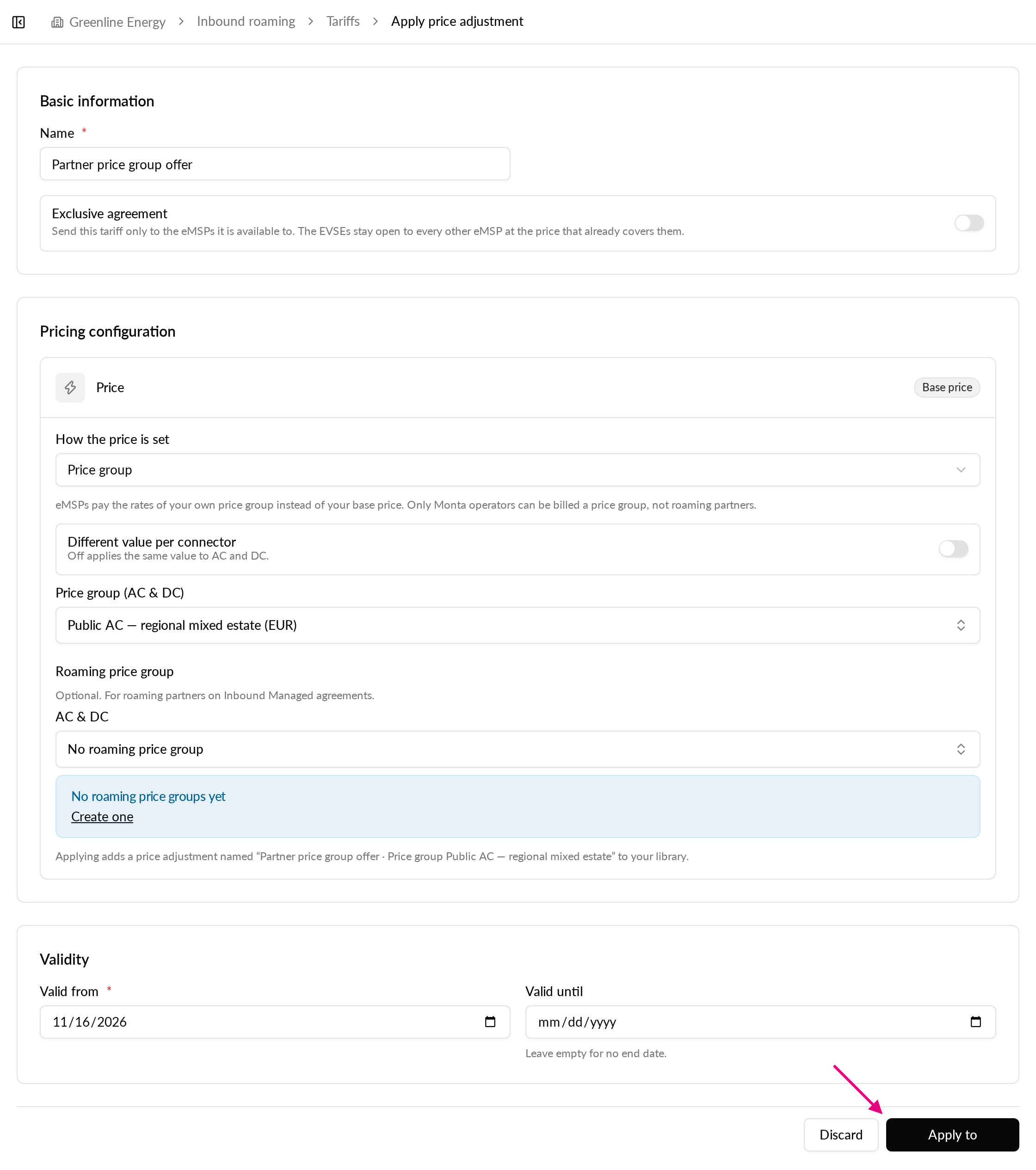
Select Apply price adjustment.
-
Enter a name, then set the price. Choose Pass-through, Markup %, Discount % or Price group. A price group can be one of your own, including a group that follows spot prices.
-
To set AC and DC separately, turn on Different value per connector.
-
Set a start date. Add an end date if the offer should stop. The Validity card holds both dates.
-
Select Apply to.
-
In the first step, pick the accounts whose charge points the offer covers, or turn on All accounts. That also covers accounts you add later.
-
In the second step, pick the Monta operators that get the offer, or turn on All eMSPs. Roaming partners are listed here too.
-
Confirm. If the offer replaces an older one, the dialog tells you which.
When the offer is saved, the receiving operators see it as a received tariff.
Set your drivers' price as a reseller
- In Hub, go to Outbound roaming > Managed Roaming > Tariffs > Applied.
- Select Apply price adjustment.
- Set the price. Pass the offer price on, add a markup or a discount, or use one of your own price groups.
- Select Apply to. Pick the operators the price covers, or turn on All parties.
- Pick the accounts whose drivers pay this price, or turn on All accounts.
- Turn on Personal drivers if the price should also cover drivers who charge on their own without an account.
- Confirm.
Rules that apply to every session
- The price is fixed when the session starts.
- Drivers without an agreement pay the public price, as before.
- Where agreements overlap, the newest agreement wins.
- The charger owner never sees the price the reseller charges its drivers.
- Drivers who pay through one of the charger owner's own accounts are not priced by the offer.
How the money moves
Each session is settled as two sales between the operators' Monta wallets:
- The driver pays the reseller.
- The reseller pays the charger owner its offer price.