
Choose which card pays for your subscriptions
Learn how the Monta app picks the card that pays for your subscriptions when you add a new card, and how to change it.
Updated 2 November 2026
This article is for drivers who pay for subscriptions with a card in the Monta app. It shows you how the app chooses the default card for subscriptions and how to change it.
How the default card works
Your subscriptions are paid with one card: the default card for subscriptions. In Payment methods, this card shows the Default card for subscriptions badge.
When you add a card, one of two things happens:
- You have no default card: the app sets the new card as your default. You see the Payment method added notice and no question.
- You already have a default card: your default stays the same. The app asks whether the new card should replace it.
Adding a card never changes an existing default on its own.
Add a card and set it as default
You need the Monta app with a personal account.
-
Open the Me tab.
-
Select Payment methods.
-
Select Add payment method.
-
Enter your card details and confirm.
-
When the app asks Should this card be your default card to pay for subscriptions?, select Set as default.
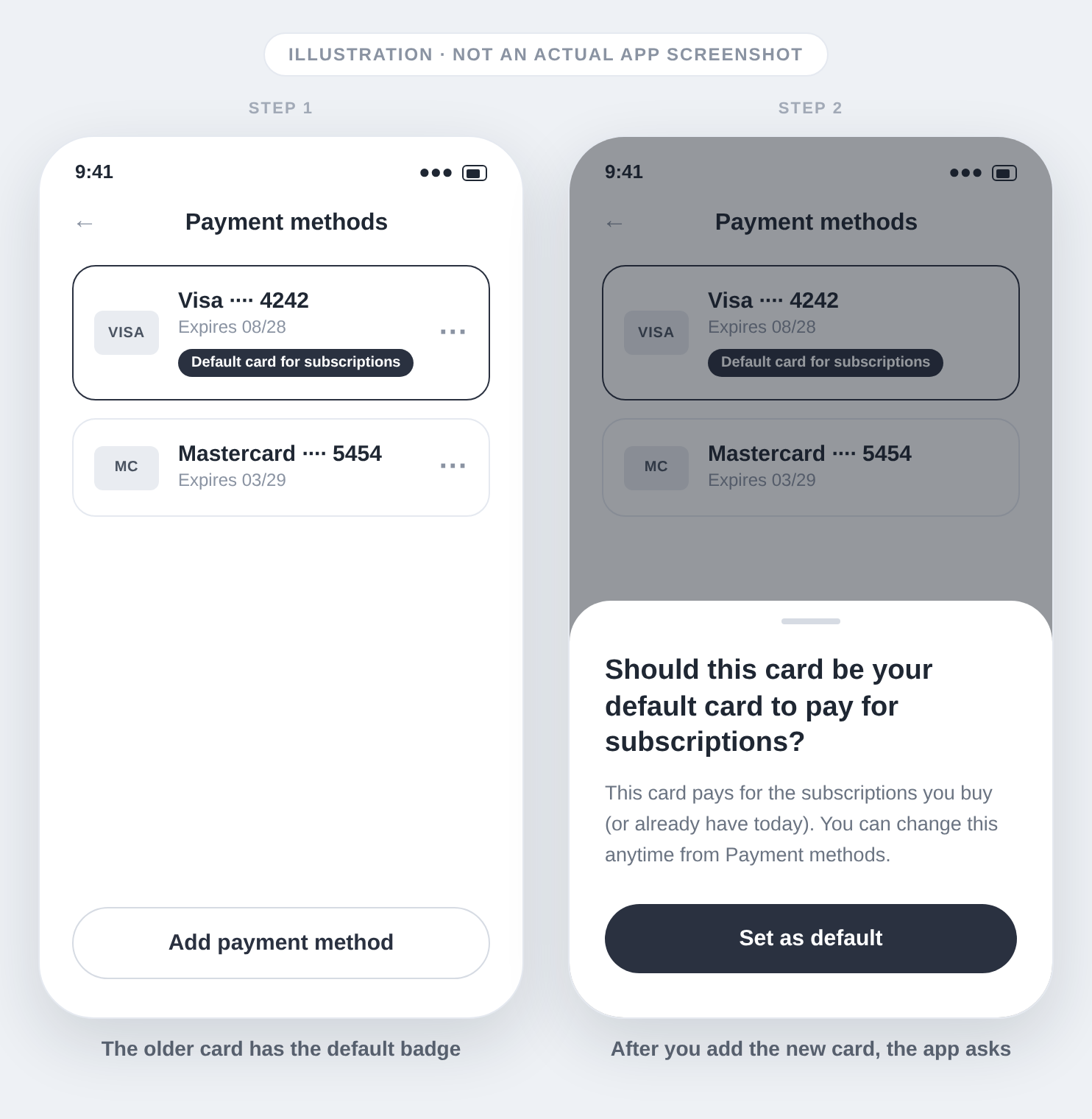
The app shows Default card updated. The Default card for subscriptions badge moves to the new card, and the card moves to the top of the list.
If you dismiss the question, the card stays saved and your default card does not change.
Set a saved card as default later
You can change the default at any time.
- Open the Me tab and select Payment methods.
- Open the menu of the card you want to use.
- Select Set as default for subscriptions.
If a subscription is unpaid or paused because of a missing card
A subscription can be unpaid or paused when you have no default card. When the app sets your new card as the default, the payment is retried and a paused subscription becomes active again.
Cards you saved before this change do not get a default on their own. If no card shows the badge, add a new card or use Set as default for subscriptions on a saved card.
Where the prompt does not appear
The app does not ask about a default card in these cases:
- You add a card while you buy a subscription. That flow already sets the default.
- You add a card to a team wallet.
- You cancel adding the card.
If you do not see the question after you add a card, use Set as default for subscriptions from the card menu.
Related articles: How do I view and manage my subscriptions in Monta Charge? and How can drivers subscribe to a charging plan in the Monta app?.