
See every driver's charging rules on an EVSE, create a sponsored rule so an employee's home charging is reimbursed, and turn reimbursed charging on for many EVSEs at once.
For: Operators, and owners and admins of the account an EVSE belongs to, who set up charging for drivers in Monta Hub.
A charging rule starts a driver's charging automatically when they plug in on an EVSE, so they don't have to open the Monta app. Drivers have always been able to create rules for themselves in the app. Now you can see every driver's rules on an EVSE in Monta Hub, and create, pause or delete them for a driver.
The most common use is an employee's home charger that the employer reimburses: an active, sponsored, instant rule means the employee just plugs in, and the employer pays.
Where do I find charging rules?
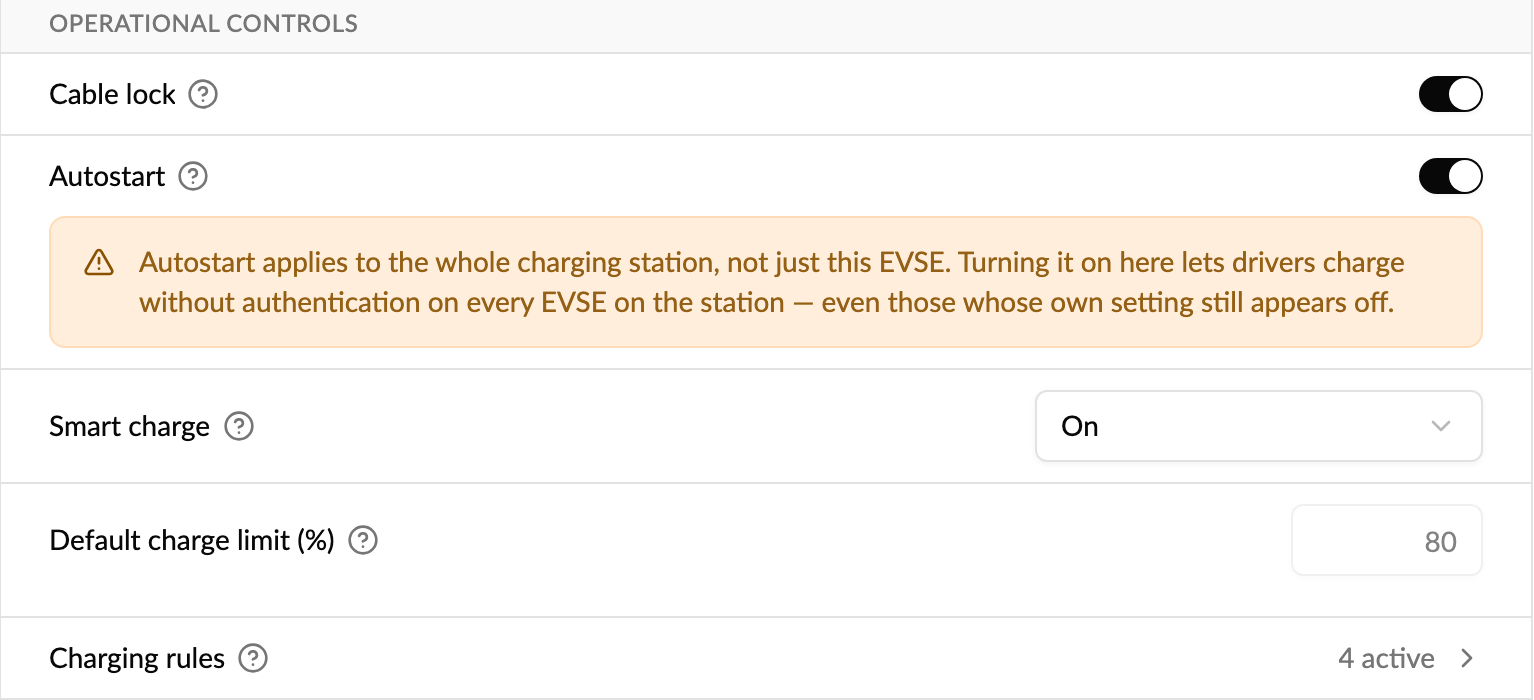
- Open the EVSE and go to Settings → Configuration.
- Under Operational controls, find Charging rules. It shows how many rules are active.
- Click it to open the list.
What does the list show?
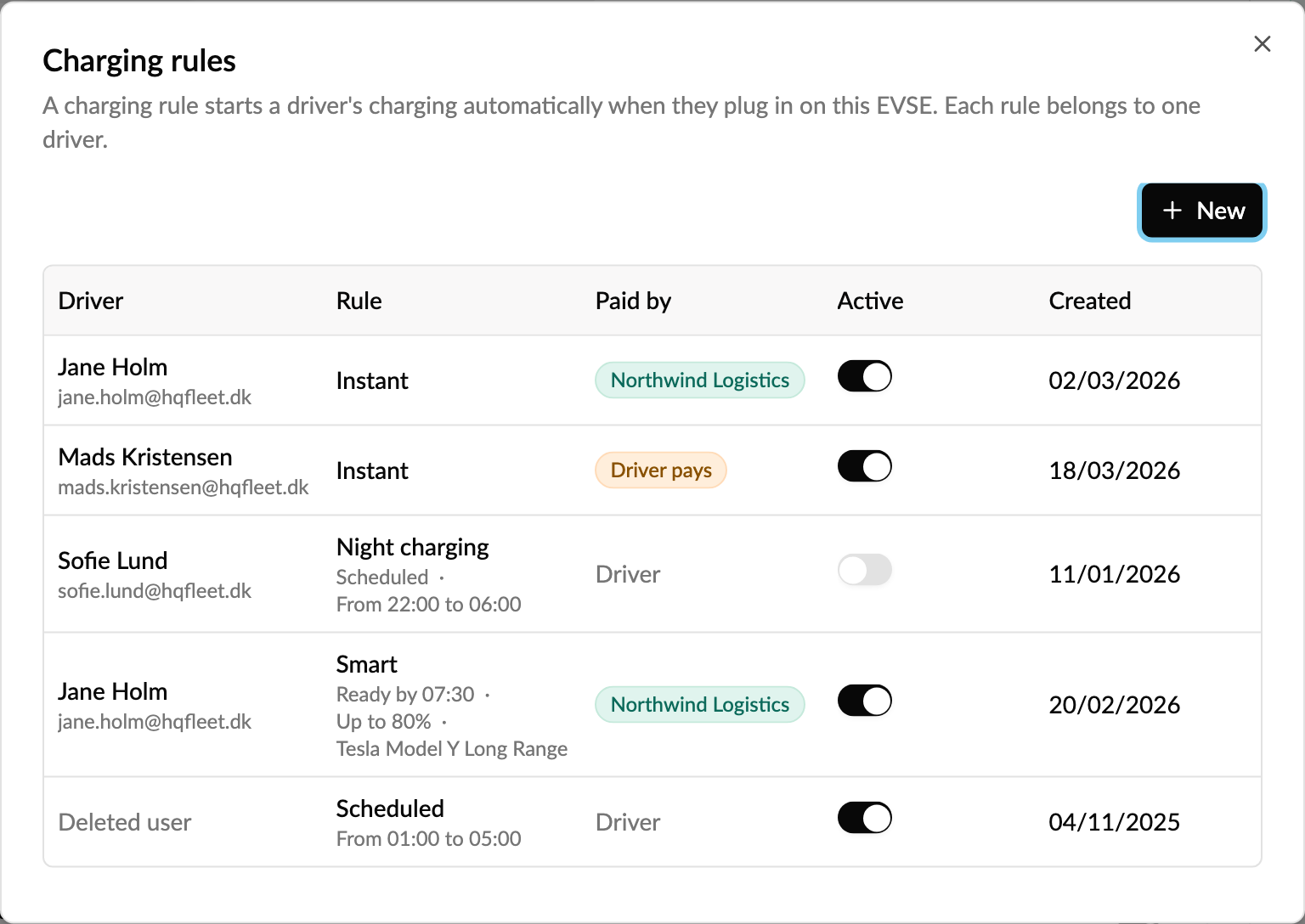
- Driver: the member of the EVSE's account the rule belongs to.
- Rule: Instant, Scheduled with its time window, or Smart with its ready-by time, battery limit and vehicle.
-
Paid by:
- the sponsoring account's name, when the sponsor pays
- Driver pays, when the rule is marked sponsored but the sponsor won't pay, for example because the EVSE has no accepted sponsorship or the driver isn't part of it
- Driver, when the rule isn't sponsored
- Active: a switch to pause or resume the rule.
- Created: when the rule was set up.
To delete a rule, hover over it and use the menu (⋮). After that, charging no longer starts on plug-in, but the driver can still start it from the app.
How do I create a charging rule for a driver?
- In the charging rules list, click New.
- Driver: pick a member of the EVSE's account. They must be allowed to use this EVSE.
-
Type:
- Instant (default): charging starts as soon as the driver plugs in.
- Scheduled: charging runs between a start and stop time. A window that ends before it starts runs overnight.
- Smart: charging runs in the cheapest hours so the car is ready on time, optionally up to a battery percentage. The driver's car must be connected to Monta.
- Active: on by default, so the rule works right away.
- Sponsored: on by default when the EVSE has a sponsorship. The sponsoring account then pays for the charging this rule starts.
- Click Create rule.
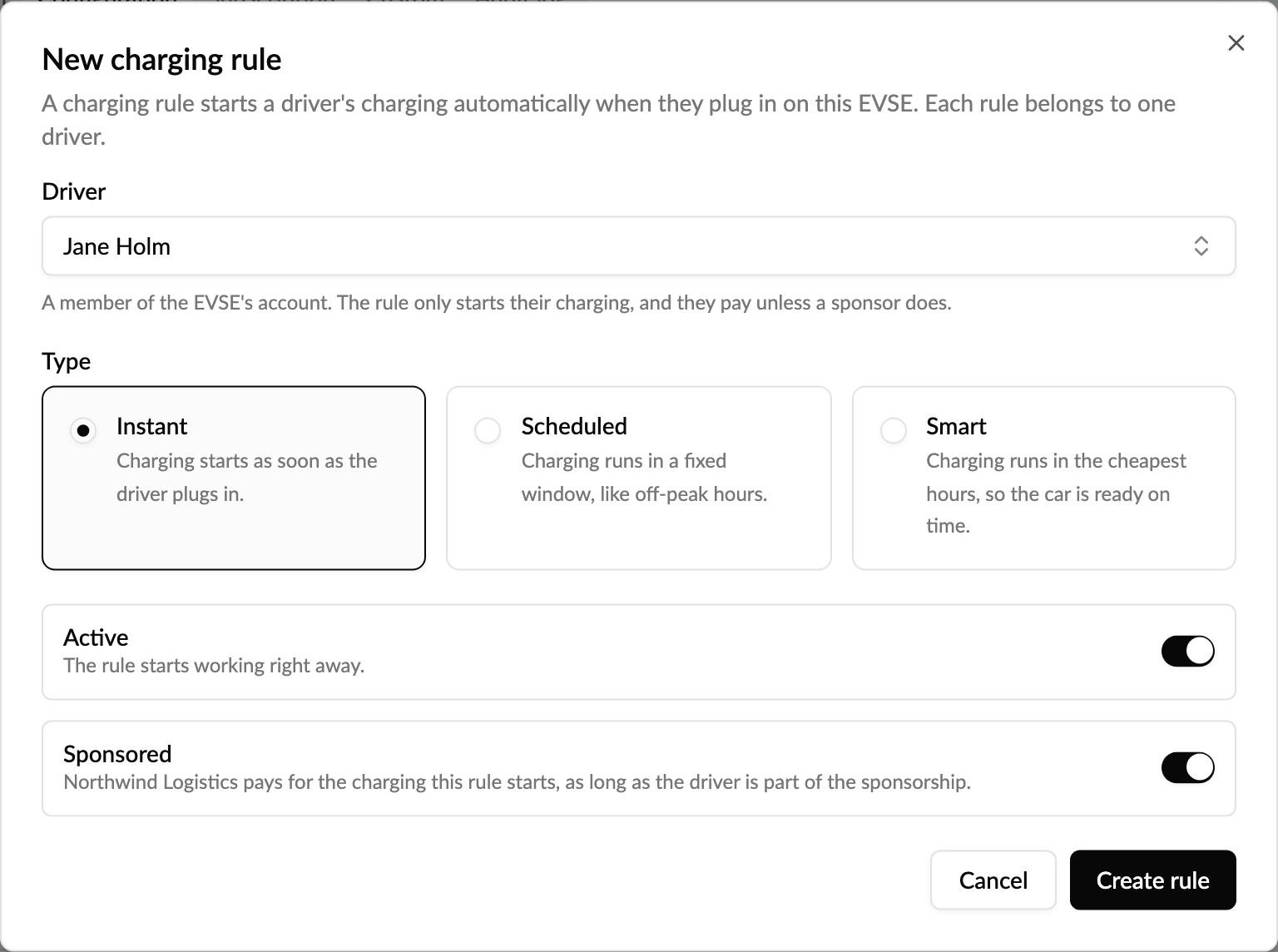
If the rule can't be created, the reason is shown on the form, for example the driver can't use this EVSE, the EVSE has no accepted sponsorship, the sponsoring account is frozen, or the sponsorship doesn't cover this driver.
Who pays for a sponsored rule?
The sponsoring account pays only while all of these are true:
- the EVSE has an accepted sponsorship
- the sponsoring account isn't frozen
- the driver is a member of the EVSE's account and part of the sponsorship
Otherwise the rule still starts charging, but the driver pays, and the list shows Driver pays. Monta Hub won't let you create a sponsored rule the sponsor wouldn't pay for, so a sponsored rule never quietly bills the driver.
How do I turn on reimbursed charging for many EVSEs at once?
Use the bulk action instead of creating rules one by one. For each EVSE it marks the owner's charging rules as sponsored, or creates an active, sponsored, instant rule if they have none.
- Go to CPO / Network → Network → EVSE, or an account's or location's Network tab.
- Select the EVSEs and choose More → Set reimbursed charging in the bar at the bottom.
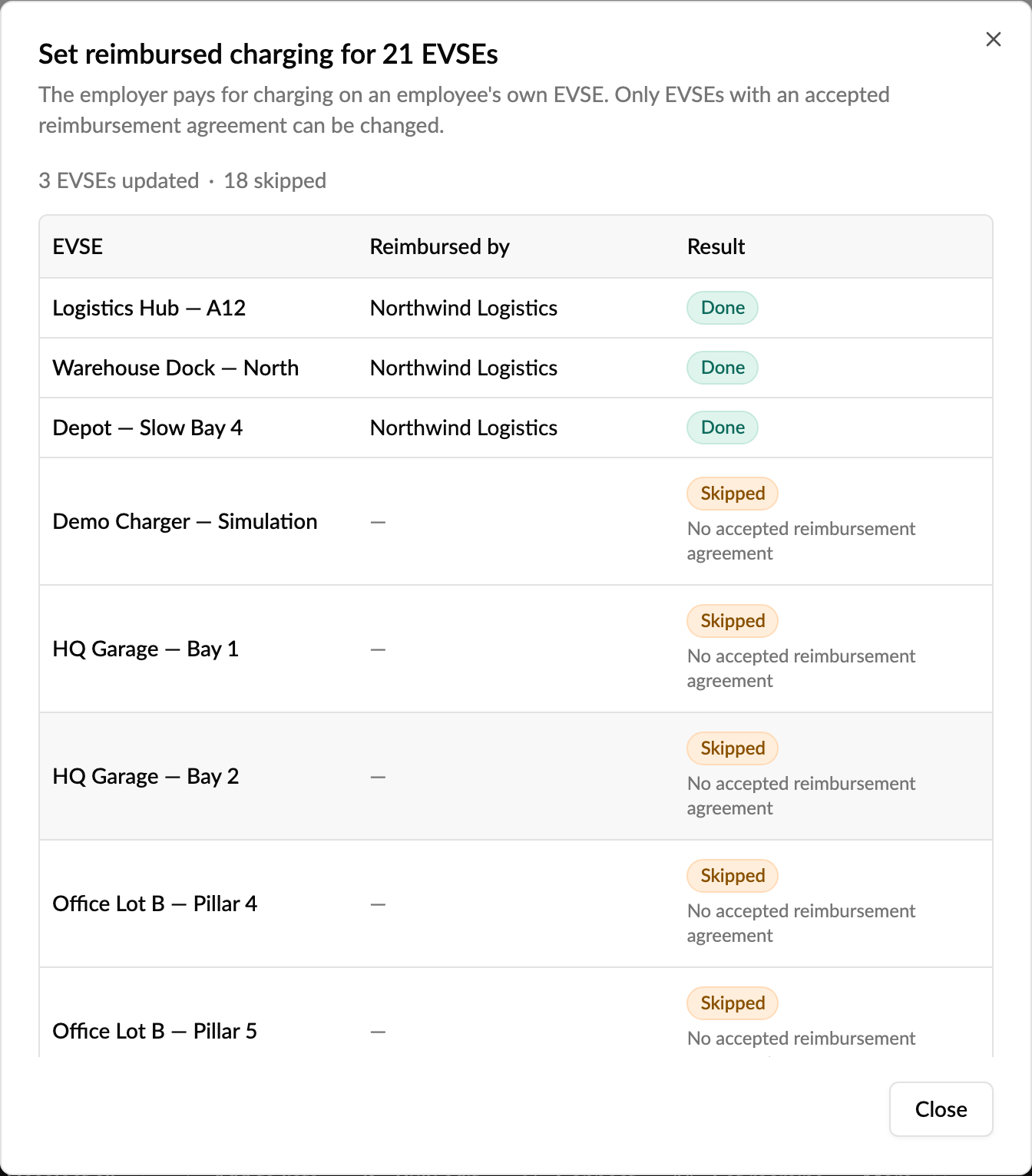
- Choose Turn on or Turn off and click Apply. The dialog tells you first how many EVSEs have no accepted reimbursement agreement and will be skipped.
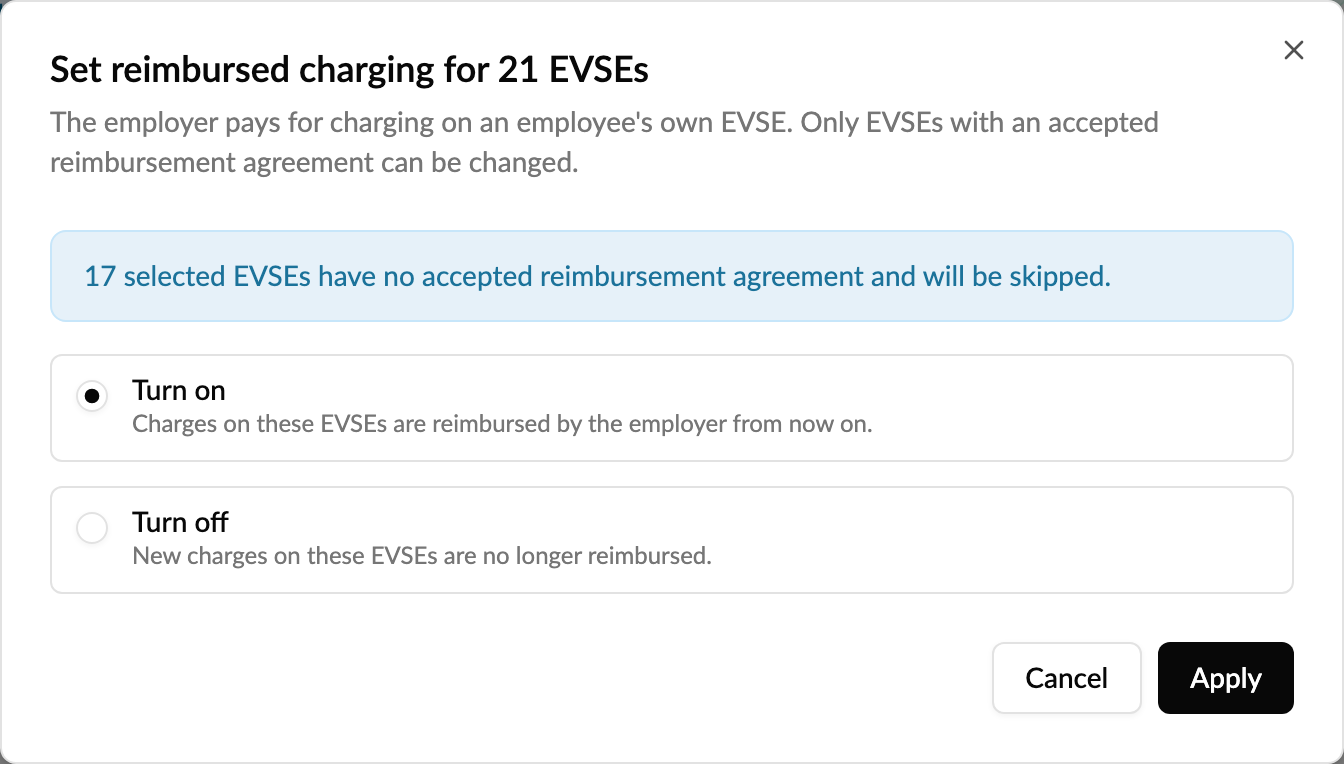
Afterwards, each EVSE is listed as Done, Skipped with the reason, or Failed. Failed EVSEs stay selected so you can try again. Only EVSEs owned by an employee's personal account with an accepted reimbursement agreement can be changed.
Who can manage charging rules?
- Operators with permission to view EVSEs can see the rules; with permission to update EVSEs they can create, pause and delete them.
- The EVSE's owner and its account's owners and admins can do the same on their own EVSE.
- Anyone else sees the list read-only.
Every change is written to the EVSE's activity log.
Good to know
- You can't edit a rule's type or schedule in Monta Hub. Pause or delete it and create a new one. Drivers can edit their own rules in the app.
- Rules created in Monta Hub aren't tied to a vehicle.
- Reimbursed charging applies to new charges from the moment it's on. Charges that already happened aren't reimbursed after the fact.
- Autostart, in the same group, is a different setting: it lets anyone charge on a private EVSE without authenticating. A charging rule only starts one driver's charging.
- Setting up the sponsorship itself is done on the sponsoring account. See How do I set up reimbursements?
- For how drivers manage their own rules in the app, see How do I create and manage charging rules?