
Add a charging station that Monta doesn't support yet
How operators add an EVSE whose brand and model are not in the Monta catalogue by choosing the Other model in Hub.
Updated 2 November 2026
This article is for operators who want to connect a charging station that is not in the Monta catalogue. You will add it in Hub with the Other model and enter its real brand and model name.
Before you start
- You need permission to create EVSEs in your account.
- The charging station must use OCPP 1.6. Stations that use OCPP 2.0.1 and are not registered with Monta are rejected when they connect.
- Check the catalogue first. Monta recommends adding only supported brands and models.
What to expect from the Other model
Monta does not support models added this way, so Monta cannot guarantee how the charging station behaves or which features work. You get basic charging over OCPP 1.6.
Use Other AC for AC charging stations and Other DC for DC charging stations. Monta does not support either model.
If you add a significant number of the same model, Monta may offer to test it and support it officially. You can request this through the Helpdesk.
Add the EVSE in Hub
-
Go to Network.
-
Select New. The Add EVSE panel opens.
-
Choose the account for the EVSE.
-
Under Brand & model, select Other Other AC for an AC charging station or Other Other DC for a DC one. A notice explains that Monta does not support the model.
-
In Custom brand and model name, enter the brand and model of the charging station. This field is required.
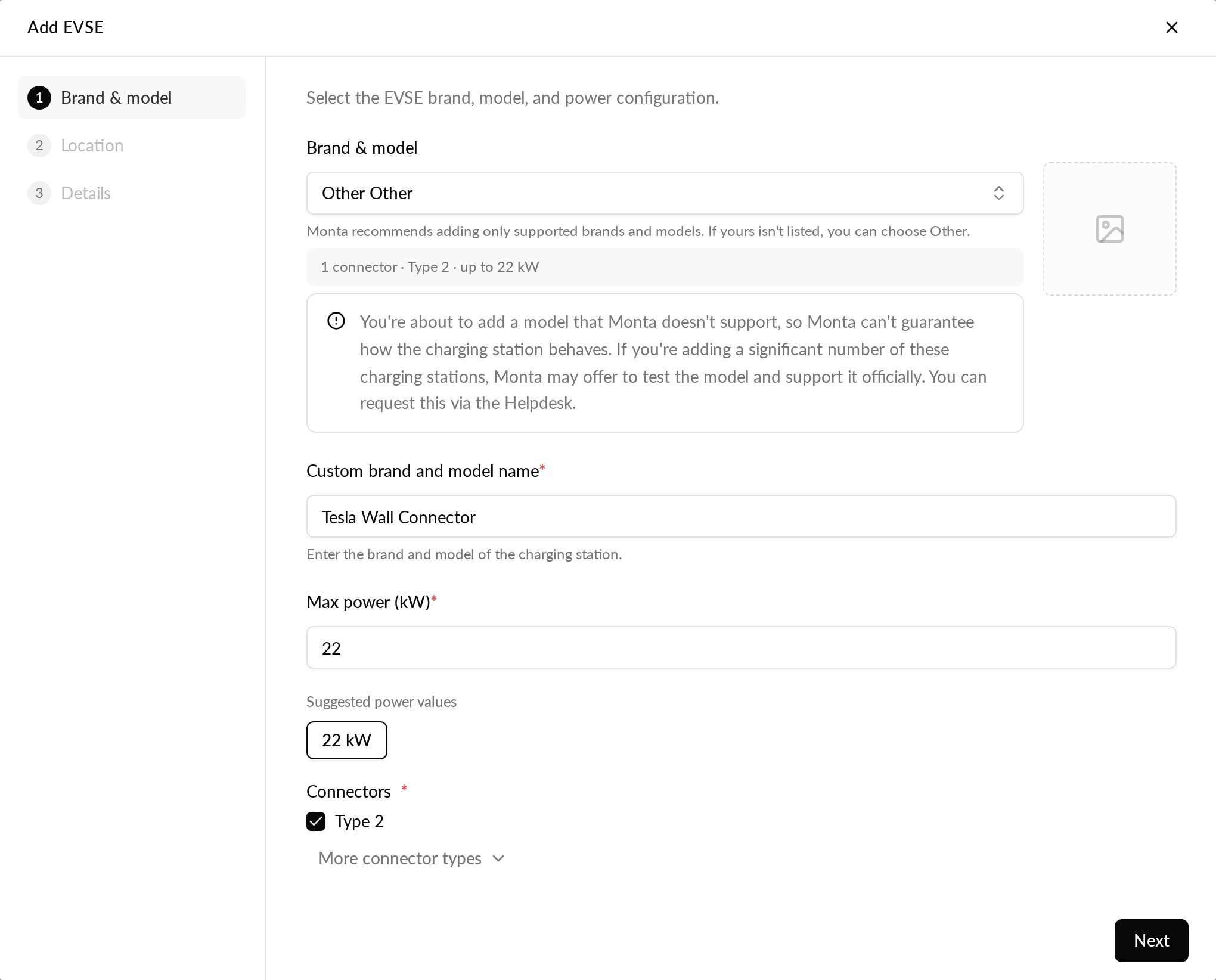
-
Complete the remaining steps and create the EVSE.
The EVSE is created on the Other model. The name you entered is saved with it.
Check or change the name later
Open the EVSE, select Settings, then General. Under Brand · model, Custom brand and model name shows the saved value. Edit it and save. Clear the field to remove the name.
In some emails and messages the EVSE model is shown as the model name followed by your text, for example "Other AC (Tesla Wall Connector)". Hub lists show the model name only.
If you don't see Other
If Other is not in the model list, contact Monta support through the Helpdesk.