
Check if a user's email and phone are verified, and what security notices they get
See whether a user has confirmed their email and phone in Hub, and explain the security notices a user receives when either one changes.
Updated 9 November 2026
This article is for operators who support drivers and need to check a user's contact details or explain a security email the user received. You will learn where to see whether an email and phone are verified and which notices Monta sends.
What you need
- Access to Users in Hub.
- To see the Audit log tab, audit log access for your operator.
Check if an email or phone is verified
-
In the sidebar, open EMP / Fleet and select Users.
-
Open the user.
-
On the overview, find Email verification and Phone verification.
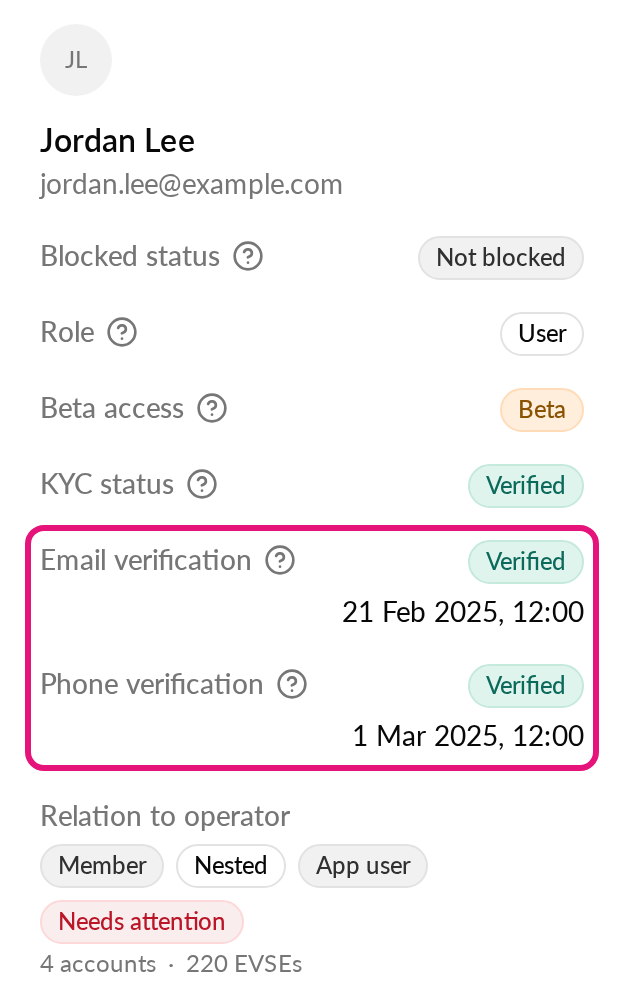
Each field shows one of these:
| What you see | What it means |
|---|---|
| Verified with a date | The user confirmed the email or phone on that date. |
| Unverified | The user has the email or phone, but never confirmed it. |
| Empty | The user has no email or phone, or the status is not available. |
Select the help icon next to a field to read the same explanation in Hub.
See a user's change history
Open the user and select the Audit log tab. It lists profile edits, consents and staff changes, with the old and new values in the detail sheet. It never shows sign-in IP addresses or locations. Users recorded before this was introduced can show an empty log.
If you don't see the Audit log tab, your operator does not have audit log access. Ask an account administrator. For more on filters, see How do I see the audit logs in Monta Hub?.
Security notices a user receives
Monta emails a user when their email or phone changes. This helps the owner spot a change they did not make. A phone number can be used to sign in with an SMS code, so a changed number matters as much as a changed email.
| Change | Who gets the email | What the email shows |
|---|---|---|
| Email changed | The previous email address | The country the change came from, when it can be found |
| Phone added, changed or removed | The email address on the account | The new number, partly hidden, for example +45***56 |
Good to know:
- A different version of the email is sent when an administrator made the change, for example Monta support or the Partner API.
- The email never shows the IP address, only the country. The country is a hint, not proof.
- No notice is sent when an account less than 24 hours old adds its first phone number. Changing or removing a number always sends one.
- If one save changes both email and phone, the phone notice goes to the email address from before the save.
- The country can be missing for a change made in Hub. In that case the email is sent without it.
If a user says they did not make the change, ask them to contact Monta support.