
This guide covers the Phasebox charge point and walks you through configuring the OCPP settings via the Phasebox Stargate portal to connect it to Monta.
Please note that when you connect your charge point to Monta, we become the operator of the charge point. This means that you need to use Monta to control the charging process.
The configuration for OCPP is made in the PhaseBox Stargate portal. This portal is currently only available in Swedish language.
1. Create account
Create an account at phasebox.se
2. Configure charge point
Login to your account, and select the “PhaseBox” tab.
Select the chargepoint you want to connect and open it by clicking “VISA”.
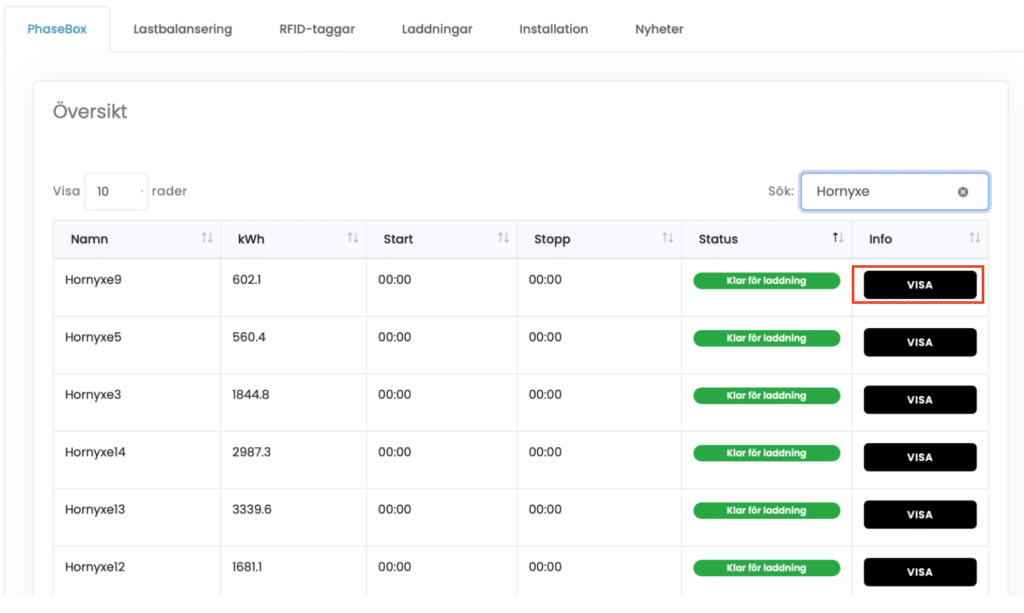
Scroll down to the OCPP section, and enter:
- "Aktivera OCPP" - Ja
- "Adress till OCPP-server" - ws://ocpp.monta.app:80/
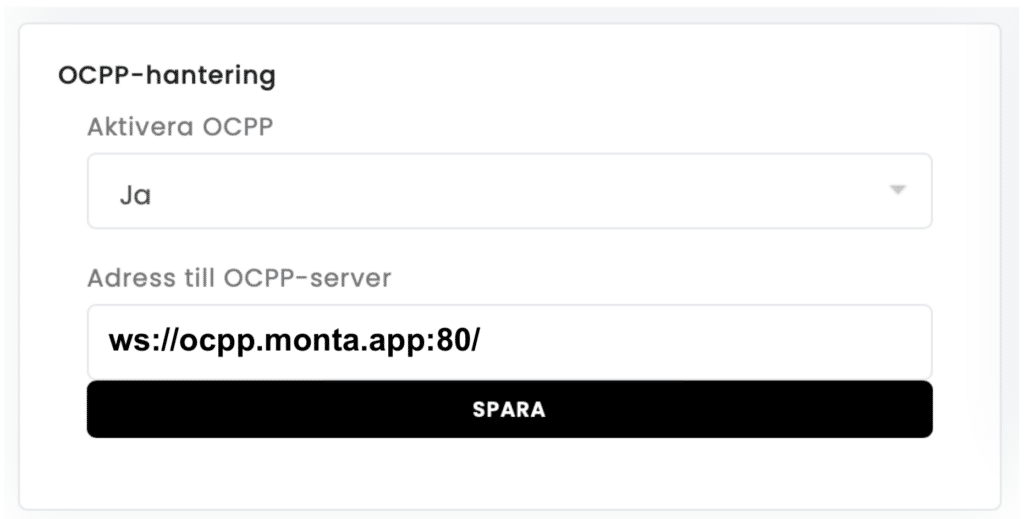
Click “Spara” to save.
The charger should now connect, if not, please perform a restart.
3. Connect the charge point to your Monta Account
Now you need to add and connect your charge point to your Monta account.
You can do this through either Monta Charge or Monta Hub.