The OCPP testing tool that proves your charge point works
Connect your charge point to Monta’s OCPP Toolkit, run the tests, and watch the raw logs confirm each one. Prove compatibility yourself, before a faulty model ever reaches the field.
See exactly what your charge point sends
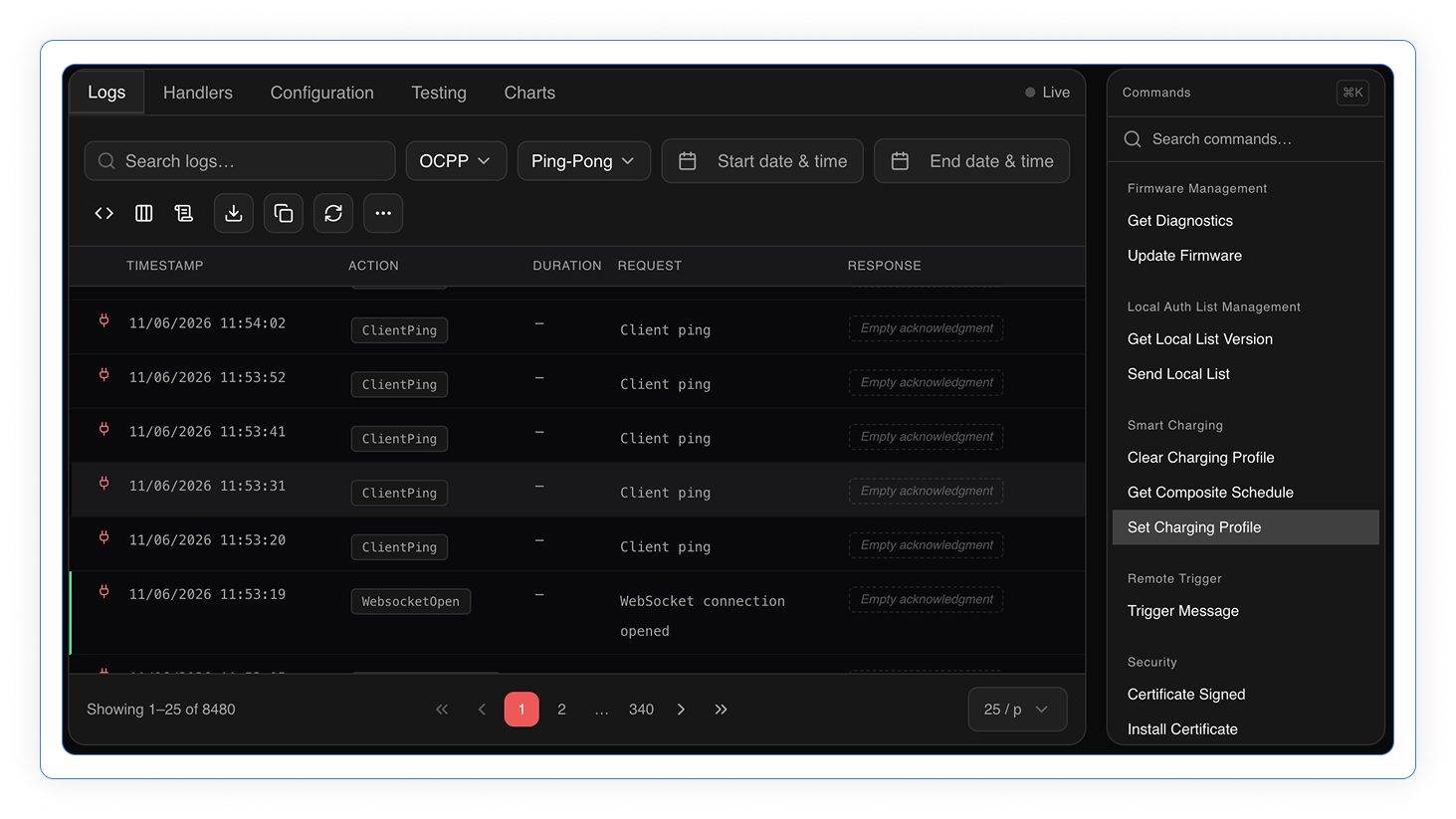
Each test is backed by the raw OCPP logs. Watch BootNotification report your serial, vendor, model, and firmware; see MeterValues arrive during a session; follow the status move from Preparing to Charging to Finishing. You confirm a clean pass yourself, rather than taking a datasheet on faith.
Why prove compatibility with Monta
Free and self-service
Connect, test, and read the results yourself. No licence to buy, no lab to book, no waiting on a queue.
Read the raw logs, not a tick
Every step shows the actual OCPP messages, so you confirm behaviour yourself instead of trusting a black box.
Tested on the open protocol
The Toolkit runs against the same OCPP layer that powers Monta in production. You test against the standard, not a proprietary rig.
A clear path to market
Pass the required tests and Monta can add your model to its supported hardware, in front of its operators.
How the OCPP Toolkit works
Four steps take a charge point from first connection to a confirmed result.
Connect over a websocket
Point your charge point at wss://ocpp-toolkit.monta.app/ on port 443, or ws://ocpp-toolkit.monta.app/ on port 80 if it does not support secure websockets.
Enter your serial number
Open the Toolkit, enter the charge point identity, and click Next to start the session.
Step through the tests
Run each test and watch the raw OCPP logs confirm the right message arrives at the right moment.
Send your results to Monta
Once the required tests pass, send your completed results so Monta can add the model to its supported hardware list.
What the OCPP Toolkit tests
The required tests confirm the behaviour Monta needs to run a charge point. Smart charging is optional, tested only if your hardware supports it.
| Test | What it verifies | Required? |
|---|---|---|
| BootNotification | The charge point reports its serial, vendor, model, and firmware on connect | Required |
| Remote start and stop | Monta can start and stop a session remotely, through Preparing, Charging, and Finishing | Required |
| Local start and stop (RFID) | A synced RFID card can start and stop a session at the charge point | Required, skip if no RFID |
| TriggerMessages | The charge point returns Heartbeat, MeterValues, StatusNotification, and BootNotification on request | Required |
| MeterValues | Meter readings arrive during a session, on Monta’s default 180 second interval | Required |
| Cable lock | The connector stays locked or releases based on UnlockConnectorOnEVSideDisconnect | Required |
| Smart charging and load balancing | Charging current follows a profile, and the charge point reports SuspendedEVSE at a 0 A limit | Optional |
FAQs
Yes. You connect your charge point, run the tests, and read the results at no cost. There is no licence fee and no subscription to test a model.
Over a websocket: wss://ocpp-toolkit.monta.app/ on port 443, or ws://ocpp-toolkit.monta.app/ on port 80 if your unit does not support secure websockets.
A charge point that can reach the test endpoint, its serial number, and an EV or an EV simulator to plug in. You enter the serial number in the Toolkit, then step through the tests.
No. If your unit does not read RFID cards, skip the local start and stop test and note it when you send your results to Monta.
You send your completed results to Monta. Once the required tests pass, Monta can add the charge point to its list of supported hardware.
BootNotification, remote start and stop, local start and stop, TriggerMessages, MeterValues, cable lock, and configuration handling. Smart charging is optional.